The following labels refer to styling options/classes in the "STYLE" dropdown menu located in the toolbar in every Custom HTML Module's content editor.
Headlines:
Headline XXL
Headline 1
Headline 2
Headline 3
Headline 4
Body copy 18px TradeGothicLTPro-Bold
Lorem ipsum dolor sit amet, consectetur adipiscing elit. Vivamus laoreet, purus sed viverra finibus, ligula sapien pretium nisi, at facilisis augue leo et nisl. Proin vulputate, lectus in aliquam fermentum, justo felis luctus odio, ac fermentum ex ligula ac justo. Sed a nibh in odio pulvinar vehicula nec vel purus. Nullam pharetra metus eget odio gravida, non convallis justo hendrerit.
Working With Custom HTML Modules' Content Editors (WYSIWYG)
How do I replace placeholder ("lorem ipsum") or unwanted text content?
The content editor can be finicky. To replace placeholder or unwanted text, we recommend that you first click the “BLOCKS” button in the toolbar to reveal outlines surrounding block-level elements. Then, select the text you wish to replace and type in your desired text. Or, you can place your cursor at the end of the text you want to replace, add your desired text, and then select and delete the placeholder text preceding it. We do NOT recommend selecting all placeholder text in the editor and deleting it before you add your desired content. As a result you may accidentally erase necessary markup that the content depends on. It is always best to edit text elements one at a time rather than deleting everything you don’t want from the start.
Can I copy/paste from other sources?
Be very careful when copy/pasting text content from other sources into a Custom HTML module's content editor. When copying from an external document, take steps to ensure the text you are copying is plain text (as opposed to rich text.) When copying from a web page, make sure you are ONLY including text and not actual HTML tags (<p>, <br>, etc.) as this could result in unintended styling/format inconsistencies.
How do I change the appearance of text content (color, font size, etc)?
The “STYLE” dropdown in the toolbar can be used to edit the styling/appearance of content. Keep in mind that when you add a style from the dropdown, it does not overwrite other styles previously applied to the element. This allows greater flexibility in cases where you may need more than one syle applied, but you will need to remember to uncheck undesired styles after applying them.
Please refer to Style Management for examples of classes/styles you may apply.
Keep in mind that changing the appearance or styles of text should be done SPARINGLY - for the sake of consistency across pages, it is best to stick with the module's default styling whenever possible.
How do I add/edit a link?
The "insert/edit link" button in the toolbar is used to create and modify links:
To create a new link, type your desired link text within the content editor, select it, and then click the "insert/edit link" button. This may be tricky if you're creating a new link next to an already-existing link. To do this, place your cursor at the end of the existing link's text and then press the right arrow key, so your cursor is outside the existing link. Then, type the new link's text, select it and click the "insert/edit link" button.
To modify an existing link, click into the middle of the link text within the content editor, then click the "insert/edit link" button.
How do I add/edit an image?
The "asset picker" button in the toolbar allows you to add images into the content editor. To modify an existing asset, click the asset and then click the "asset picker" button. Not all custom HTML modules were made with the intent to have an image placed in them. (Tip: If your default placeholder content did not contain an image, you should avoid adding one with this tool.)
Note: If you're including an image in a Custom HTML module, remember to consider the image alt text (which is editable through the "asset picker" button), and include a value when necessary. For more details, see "Do I need to update/include alt text for every image?" in General Tips/Advice for CMS Users.
How do I add a code snippet?
The "insert code snippet" button in the toolbar adds pre-made snippets of code into the content editor. Note that code snippets are primarily (but not always) used as a way to revert either the entire content of a Custom HTML Module to its default state, or to revert a part of its content to its original state. For example, if you accidentally delete the headline and byline at the top of the Custom HTML Module included in Section 1, you can use a code snippet to add it back in. In most cases you will not need to use code snippets unless you're attempting to "fix" a module (i.e. bring back original content which was since removed.)
General Tips/Advice for CMS Users
How can I ensure that my content will be accessible to all users?
Be sure to follow all recommendations and instructions given in this guide, particularly the recommendations involving link text, image alt text, and heading levels. To learn more about accessibility, please see Accessibility for Radancy CMS Publishers.
Additional Notes
How can I add to or update the notes to this section?
Find this section (title: "CMS Guide Info") in your section list and edit its "CMS Guide Info - Copy" module to add as many notes as you'd like right here. Be careful to not delete any of the content above or below your notes!
Section Guide
Before using a section from this guide, please read the corresponding documentation for that section. Documentation is found above each section in this guide, on a black background.
Note that section titles are color coded based on which menu they can be found in after clicking the "add section" button on any page:
Red - find this section in the "Use Existing" Menu. Green - find this section in the "Add New" Menu.
Keep in mind that when you edit a section from the "Use Existing" Menu, you are editing every instance of that section. Sections added via the "Add New" Menu are safe to be edited freely, as a new instance of the section is created everytime it is added to a page.
Search Form Full-width (Section 1)
CP Banners - Image Background (Section 2)
Suggested Use: Content Page Banner
Image Size and Quality: Users can upload images. Ensure images are of high quality and optimized for web use.
For mobile devices, recommended sizes are 750x1334 (9:16 ratio)
For desktop, recommended sizes are 1920x1080 (16:9 ratio) and 1280x720 (16:9 ratio).
Code Snippet:
CMS - Section 2 - Copy
Lorem Ipsum qui dolorem
CP Banner - Blue Gradient Background (Section 2a)
Suggested Use: Content Page Banner
Image Size and Quality: Users can upload images. Ensure images are of high quality and optimized for web use.
For mobile devices, recommended sizes are 750x1334 (9:16 ratio)
For desktop, recommended sizes are 1920x1080 (16:9 ratio) and 1280x720 (16:9 ratio).
Code Snippet:
CMS - Section 2 - Copy
Lorem Ipsum qui dolorem
Image Background - Medical (Section 2b)
Suggested Use: Content Page Banner
Image Size and Quality: Users can upload images. Ensure images are of high quality and optimized for web use.
For mobile devices, recommended sizes are 750x1334 (9:16 ratio)
For desktop, recommended sizes are 1920x1080 (16:9 ratio) and 1280x720 (16:9 ratio).
Lorem ipsum dolor sit amet, consectetur adipiscing elit. Sed eiusmod tempor incididunt ut labore et dolore magna aliqua. Ut enim ad minim veniam, quis nostrud exercitation ullamco laboris nisi ut aliquip ex ea commodo consequat. Duis aute irure dolor reprehenderit voluptate velit esse cillum dolore eu fugiat nulla pariatur.
Spotlight Text 2 Col - Medical (Section 6a)
Suggested Use: shorter copy
Code Snippet:
CMS - Section 6 - Copy
CMS - Section 6 - Heading
Lorem ipsum dolor sit amet
Lorem ipsum dolor sit amet, consectetur adipiscing elit. Sed eiusmod tempor incididunt ut labore et dolore magna aliqua. Ut enim ad minim veniam, quis nostrud exercitation ullamco laboris nisi ut aliquip ex ea commodo consequat. Duis aute irure dolor reprehenderit voluptate velit esse cillum dolore eu fugiat nulla pariatur.
2 Split - Right Image - Left Heading - Copy - CTA Button (Section 7)
Suggested Use: N/A
Image Size and Quality: Users can upload images. Ensure images are of high quality and optimized for web use.
For this section:
For mobile devices, we recommend 9:16 aspect ratio sizes like 750x1334 and 1080x1920.
For desktop, the recommended sizes are 960x540 and 1280x720, both maintaining the 16:9 ratio.
Text Content: Use the WYSIWYG to add and edit text content
Style Management: The style of text and buttons within this section can be customized through the WYSIWYG editor.
Accessibility: If the image is not purely decorative and convey a message, please provide a descriptive alt text for the image.
This ensures accessibility for users with visual impairments, allowing screen readers to convey the content and context of the image effectively. For more information, refer to WCAG 2.1, Success Criterion 1.1.1: Non-text Content.
Headline (H2)
Lorem ipsum dolor sit amet, consectetur adipiscing elit, sed do eiusmod tempor incididunt ut labore et dolore magna aliqua. Ut enim ad minim veniam, quis nostrud exercitation ullamco laboris nisi ut aliquip ex ea commodo consequat. Duis aute irure dolor in reprehenderit in voluptate velit esse cillum dolore eu fugiat nulla in culpa qui officia deserunt mollit anim id est laborum. a commodo consequat.
2 Split - Left Image - Right Heading - Copy - CTA Button (Section 7a)
Suggested Use: N/A
Image Size and Quality: Users can upload images. Ensure images are of high quality and optimized for web use.
For this section:
For mobile devices, we recommend 9:16 aspect ratio sizes like 750x1334 and 1080x1920.
For desktop, the recommended sizes are 960x540 and 1280x720, both maintaining the 16:9 ratio.
Text Content: Use the WYSIWYG to add and edit text content
Style Management: The style of text and buttons within this section can be customized through the WYSIWYG editor.
Accessibility: If the image is not purely decorative and convey a message, please provide a descriptive alt text for the image.
This ensures accessibility for users with visual impairments, allowing screen readers to convey the content and context of the image effectively. For more information, refer to WCAG 2.1, Success Criterion 1.1.1: Non-text Content.
Headline (H2)
Lorem ipsum dolor sit amet, consectetur adipiscing elit, sed do eiusmod tempor incididunt ut labore et dolore magna aliqua. Ut enim ad minim veniam, quis nostrud exercitation ullamco laboris nisi ut aliquip ex ea commodo consequat. Duis aute irure dolor in reprehenderit in voluptate velit esse cillum dolore eu fugiat nulla in culpa qui officia deserunt mollit anim id est laborum. a commodo consequat.
2 Split - Left Image - Right Heading - Copy - CTA Button - Medical (Section 7b)
Suggested Use: N/A
Image Size and Quality: Users can upload images. Ensure images are of high quality and optimized for web use.
For this section:
For mobile devices, we recommend 9:16 aspect ratio sizes like 750x1334 and 1080x1920.
For desktop, the recommended sizes are 960x540 and 1280x720, both maintaining the 16:9 ratio.
Text Content: Use the WYSIWYG to add and edit text content
Style Management: The style of text and buttons within this section can be customized through the WYSIWYG editor.
Accessibility: If the image is not purely decorative and convey a message, please provide a descriptive alt text for the image.
This ensures accessibility for users with visual impairments, allowing screen readers to convey the content and context of the image effectively. For more information, refer to WCAG 2.1, Success Criterion 1.1.1: Non-text Content.
Code Snippet:
CMS - Section 7 Copy (green button)
Headline (H2)
Lorem ipsum dolor sit amet, consectetur adipiscing elit, sed do eiusmod tempor incididunt ut labore et dolore magna aliqua. Ut enim ad minim veniam, quis nostrud exercitation ullamco laboris nisi ut aliquip ex ea commodo consequat. Duis aute irure dolor in reprehenderit in voluptate velit esse cillum dolore eu fugiat nulla in culpa qui officia deserunt mollit anim id est laborum. a commodo consequat.
Image Size and Quality: Users can upload images. Ensure images are of high quality and optimized for web use.
For mobile devices, recommended sizes are 750x1334 (9:16 ratio)
For desktop, recommended sizes are 1920x1080 (16:9 ratio) and 1280x720 (16:9 ratio).
Text Content: Use the WYSIWYG to add and edit text content
Style Management: The style of text and buttons within this section can be customized through the WYSIWYG editor.
Accessibility: If the image is not purely decorative and convey a message, please provide a descriptive alt text for the image.
This ensures accessibility for users with visual impairments, allowing screen readers to convey the content and context of the image effectively. For more information, refer to WCAG 2.1, Success Criterion 1.1.1: Non-text Content.
Headline (H2)
Lorem ipsum dolor sit amet, consectetur adipiscing elit, sed do eiusmod tempor incididunt ut labore et dolore magna aliqua. Ut enim ad minim veniam, quis nostrud exercitation ullamco laboris nisi ut aliquip ex ea commodo consequat. Duis aute irure dolor in reprehenderit in voluptate velit esse cillum dolore eu fugiat nulla in culpa qui officia deserunt mollit anim id est laborum. a commodo consequat.
Lorem ipsum dolor sit amet, consectetur adipiscing elit, sed do eiusmod tempor incididunt ut labore et dolore magna aliqua. Ut enim ad minim veniam, quis nostrud exercitation ullamco laboris nisi ut aliquip ex ea commodo consequat. Duis aute irure dolor in reprehenderit in voluptate velit esse cillum dolore eu fugiat nulla in culpa qui officia deserunt mollit anim id est laborum. a commodo consequat.
Image Size and Quality: Users can upload images. Ensure images are of high quality and optimized for web use.
Recommended minimum size is 564 × 342 px
Text Content: Use the WYSIWYG to add and edit text content
Style Management: The style of text and buttons within this section can be customized through the WYSIWYG editor.
Accessibility: If the image is not purely decorative and convey a message, please provide a descriptive alt text for the image.
This ensures accessibility for users with visual impairments, allowing screen readers to convey the content and context of the image effectively. For more information, refer to WCAG 2.1, Success Criterion 1.1.1: Non-text Content.
Headline (H2)
Lorem ipsum dolor sit amet, consectetur adipiscing elit. Vivamus laoreet, purus sed viverra finibus, ligula sapien pretium nisi, at facilisis augue leo et nisl. Proin vulputate, lectus in aliquam fermentum, justo felis luctus odio, ac fermentum ex ligula ac justo. Sed a nibh in odio pulvinar vehicula nec vel purus. Nullam pharetra metus eget odio gravida, non convallis justo hendrerit.
Video - Copy - BG white 2 Col (Section 9a)
Suggested Use: N/A
Image Size and Quality: Users can upload images for a video thumbnail. Ensure images are of high quality and optimized for web use.
Recommended minimum size is 564 × 342 px
Text Content: Use the WYSIWYG to add and edit text content
Style Management: The style of text and buttons within this section can be customized through the WYSIWYG editor.
Accessibility: If the image is not purely decorative and convey a message, please provide a descriptive alt text for the image.
This ensures accessibility for users with visual impairments, allowing screen readers to convey the content and context of the image effectively. For more information, refer to WCAG 2.1, Success Criterion 1.1.1: Non-text Content.
Code Snippet:
CMS - Section 9 - Copy
Headline (H2)
Lorem ipsum dolor sit amet, consectetur adipiscing elit. Vivamus laoreet, purus sed viverra finibus, ligula sapien pretium nisi, at facilisis augue leo et nisl. Proin vulputate, lectus in aliquam fermentum, justo felis luctus odio, ac fermentum ex ligula ac justo. Sed a nibh in odio pulvinar vehicula nec vel purus. Nullam pharetra metus eget odio gravida, non convallis justo hendrerit.
Video - Copy - BG white 2 Col - Medical (Section9b)
Suggested Use: N/A
Image Size and Quality: Users can upload images for a video thumbnail. Ensure images are of high quality and optimized for web use.
Recommended minimum size is 564 × 342 px
Text Content: Use the WYSIWYG to add and edit text content
Style Management: The style of text and buttons within this section can be customized through the WYSIWYG editor.
Accessibility: If the image is not purely decorative and convey a message, please provide a descriptive alt text for the image.
This ensures accessibility for users with visual impairments, allowing screen readers to convey the content and context of the image effectively. For more information, refer to WCAG 2.1, Success Criterion 1.1.1: Non-text Content.
Code Snippet:
CMS - Section 9 - Copy
Headline (H2)
Lorem ipsum dolor sit amet, consectetur adipiscing elit. Vivamus laoreet, purus sed viverra finibus, ligula sapien pretium nisi, at facilisis augue leo et nisl. Proin vulputate, lectus in aliquam fermentum, justo felis luctus odio, ac fermentum ex ligula ac justo. Sed a nibh in odio pulvinar vehicula nec vel purus. Nullam pharetra metus eget odio gravida, non convallis justo hendrerit.
Related Content Dynamic (Section 10)
Suggested Use: Use this section when you want to have pages dynamically pulled into the module, based on pillar channels and filters.
Reminder: Only a Developer can access the actual Dynamic module (or "Content Feed" module) within this Section.
Lorem ipsum dolor
Lorem ipsum dolor sit amet, consectetur adipiscing elit, sed do eiusmod tempor incididunt ut labore et dolore magna aliqua. Ut enim ad minim veniam, quis nostrud exercitation ullamco laboris nisi ut aliquip ex ea commodo consequat. Duis aute irure dolor in reprehenderit in voluptate velit esse cillum dolore eu fugiat nulla in culpa qui officia deserunt mollit anim id est laborum. a commodo consequat.
Related Content Static (Section 10a) - Page Picker
Suggested Use: Use this section when you want to handpick which pages to feature in the related content section.
A CMS user can manually select the pages that will show up in this section.
Lorem ipsum dolor
Lorem ipsum dolor sit amet, consectetur adipiscing elit, sed do eiusmod tempor incididunt ut labore et dolore magna aliqua. Ut enim ad minim veniam, quis nostrud exercitation ullamco laboris nisi ut aliquip ex ea commodo consequat. Duis aute irure dolor in reprehenderit in voluptate velit esse cillum dolore eu fugiat nulla in culpa qui officia deserunt mollit anim id est laborum. a commodo consequat.
Stories 2 Col (Section 11)
Suggested Use: Use this section when you want to handpick via dropdown which pages to feature.
Lorem ipsum dolor
Lorem ipsum dolor sit amet, consectetur adipiscing elit. Sed do eiusmod tempor incididunt ut labore et dolore magna aliqua. Ut enim ad minim veniam, quis nostrud exercitation ullamco laboris. Nisi ut aliquip ex ea commodo consequat. Duis aute irure dolor in.
Stories 2 Col (Section 11a)
Suggested Use: Use this section when you want to handpick via Call Out Link which pages to feature.
Lorem ipsum dolor
Lorem ipsum dolor sit amet, consectetur adipiscing elit. Sed do eiusmod tempor incididunt ut labore et dolore magna aliqua. Ut enim ad minim veniam, quis nostrud exercitation ullamco laboris. Nisi ut aliquip ex ea commodo consequat. Duis aute irure dolor in.
Image Size and Quality: Users can upload icon images. Please resize images to fit this module.
Text Content:
Thumbnail Alternative Text: Enter the numeric value in this field.
Short Description: This serves as the title.
Link Text: This field provides additional information about the module.
The module has been adapted for this use and to be dynamic, allowing all numbers to spin for one second upon scrolling.
Code Snippet:
CMS - Section 12 - Intro Copy
Lorem ipsum dolor sit amet
Lorem 13Lorem ipsum dolor sit ametLorem ipsum dolor sit amet, consectetur adipiscing elit. Vivamus laoreet, purus sed viverra finibus, ligula sapien.
16Lorem ipsumLorem ipsum dolor sit amet, consectetur adipiscing elit. Vivamus laoreet, purus sed viverra finibus, ligula sapien.
90Lorem ipsumLorem ipsum dolor sit, , consectetur adipiscing elit. Vivamus laoreet, purus sed viverra finibus, ligula sapien.
Key Facts Number Spin - Medical (Section 12a)
Suggested Use: N/A
Image Size and Quality: Users can upload icon images. Please resize images to fit this module.
Text Content:
Thumbnail Alternative Text: Enter the numeric value in this field.
Short Description: This serves as the title.
Link Text: This field provides additional information about the module.
The module has been adapted for this use and to be dynamic, allowing all numbers to spin for one second upon scrolling.
Code Snippet:
CMS - Section 12 - Intro Copy
Lorem ipsum dolor sit amet
13Lorem ipsum dolor sit ametLorem ipsum dolor sit amet, consectetur adipiscing elit. Vivamus laoreet, purus sed viverra finibus, ligula sapien.
16Lorem ipsumLorem ipsum dolor sit amet, consectetur adipiscing elit. Vivamus laoreet, purus sed viverra finibus, ligula sapien.
90Lorem ipsumLorem ipsum dolor sit amet, consectetur adipiscing elit. Vivamus laoreet, purus sed viverra finibus, ligula sapien.
Multi Item (Section 21)
Suggested Use: Pages are selected using a Content Page Display module. Copy intro can be edited with WYSIWYG.
Headline (h2)
Lorem ipsum dolor sit amet, consectetur adipiscing elit. Vestibulum aliquet risus vitae ante tincidunt semper. Aenean laoreet, nibh et posuere egestas, orci neque gravida risus, non rhoncus nunc mauris ac enim.
Multi Item (Section 21a)
Suggested Use: Pages are selected using a Content Page Display module. Copy intro can be edited with WYSIWYG.
Lernen Sie uns kennen - und Ihre Vorteile
Bei Heraeus zu arbeiten ist immer lohnend. Nicht nur, weil Sie mit Ihren Ideen und Innovationen eine bessere Zukunft gestalten - sondern weil es sich für Sie wirklich auszahlt.
Multi Item (Section 21b)
Suggested Use: Pages are selected using a Content Page Display module. Copy intro can be edited with WYSIWYG.
Headline (h2)
Lorem ipsum dolor sit amet, consectetur adipiscing elit. Vestibulum aliquet risus vitae ante tincidunt semper. Aenean laoreet, nibh et posuere egestas, orci neque gravida risus, non rhoncus nunc mauris ac enim.
Multi Item - Medical (Section 21c)
Suggested Use: No notes.
Code Snippet:
CMS - Section 21 - Copy
Headline (h2)
Lorem ipsum dolor sit amet, consectetur adipiscing elit. Vestibulum aliquet risus vitae ante tincidunt semper. Aenean laoreet, nibh et posuere egestas, orci neque gravida risus, non rhoncus nunc mauris ac enim.
Multi Item - Medical (Section 21d)
Suggested Use: No notes.
Code Snippet:
CMS - Section 21 - Copy
Headline (h2)
Lorem ipsum dolor sit amet, consectetur adipiscing elit. Vestibulum aliquet risus vitae ante tincidunt semper. Aenean laoreet, nibh et posuere egestas, orci neque gravida risus, non rhoncus nunc mauris ac enim.
Slider (Section 22)
Suggested Use: The slider module is not CMS-able. The content is located in the layout of the module and needs a developer update or add a new version.
Headline 1
Title 1
Lorem ipsum dolor sit amet, consectetur adipiscing elit. Nulla cursus, metus at sollicitudin tincidunt, eros lectus faucibus dui, vel pulvinar massa justo id mi.
Headline 2
Title 2
Lorem ipsum dolor sit amet, consectetur adipiscing elit. Nulla cursus, metus at sollicitudin tincidunt, eros lectus faucibus dui, vel pulvinar massa justo id mi.
Headline 3
Title 3
Lorem ipsum dolor sit amet, consectetur adipiscing elit. Nulla cursus, metus at sollicitudin tincidunt, eros lectus faucibus dui, vel pulvinar massa justo id mi.
Headline 4
Title 4
Lorem ipsum dolor sit amet, consectetur adipiscing elit. Nulla cursus, metus at sollicitudin tincidunt, eros lectus faucibus dui, vel pulvinar massa justo id mi.
Multi Item (Section 23)
Suggested Use: Pages are selected using a Callout Action Link module. Copy intro can be edited with WYSIWYG.
Headline (h2)
Lorem ipsum dolor sit amet, consectetur adipiscing elit. Vestibulum aliquet risus vitae ante tincidunt semper. Aenean laoreet, nibh et posuere egestas, orci neque gravida risus, non rhoncus nunc mauris ac enim.
Text Content: Use the WYSIWYG to add and edit text content
Image Content: Use the WYSIWYG to add and edit IMAGE- icons—75px by 75px is the recommended size.
Code Snippet:
CMS - Section 25 - Copy
CMS - Section 25 - Item
Heading (h2)
Lorem ipsum dolor sit amet, consectetur adipiscing elit, sed do eiusmod tempor incididunt ut labore et dolore magna aliqua. Ut enim ad minim veniam, quis nostrud exercitation ullamco laboris nisi ut aliquip ex ea commodo consequat. Duis aute irure dolor in reprehenderit in voluptate velit.
Title (h3)
Ut enim ad minim veniam, quis nostrud minim veniam, quis ut enim ad veniam.
Text Content: Use the WYSIWYG to add and edit text content
Image Content: Use the WYSIWYG to add and edit IMAGE- icons—75px by 75px is the recommended size.
Code Snippet:
CMS - Section 25 - Copy
CMS - Section 25 - Item
Heading (h2)
Lorem ipsum dolor sit amet, consectetur adipiscing elit, sed do eiusmod tempor incididunt ut labore et dolore magna aliqua. Ut enim ad minim veniam, quis nostrud exercitation ullamco laboris nisi ut aliquip ex ea commodo consequat. Duis aute irure dolor in reprehenderit in voluptate velit.
Title (h3)
Ut enim ad minim veniam, quis nostrud minim veniam, quis ut enim ad veniam.
Suggested Use: The slider module is not CMS-able. The content is located in the layout of the module and needs a developer to update or add a new version.
Category
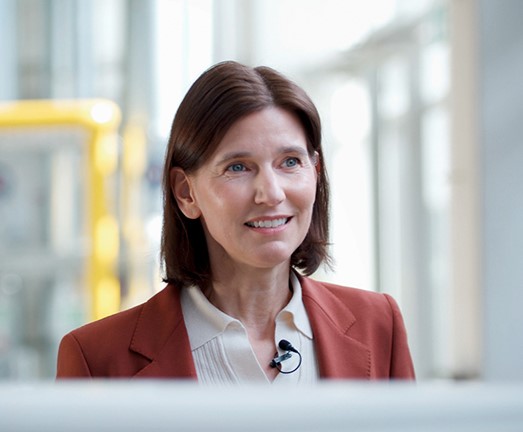
I’m grateful that I can pursue my vision of life as both a woman in technology and a mother.
Katharina Musiol
Category
I’m grateful that I can pursue my vision of life as both a woman in technology and a mother.
Katharina Musiol
Category
I’m grateful that I can pursue my vision of life as both a woman in technology and a mother.
Katharina Musiol
Category
I’m grateful that I can pursue my vision of life as both a woman in technology and a mother.
Katharina Musiol
Copy (Section 27)
Suggested Use: N/A
Text Content: Use the WYSIWYG to add and edit text content
Headline h2
Lorem ipsum dolor sit amet, consectetur adipiscing elit. Quisque at vulputate purus, sit amet sollicitudin ipsum. Phasellus vestibulum eros eu magna tristique faucibus vel sed ex. Maecenas condimentum mauris at dolor congue, at sollicitudin felis elementum. Fusce tempus ex nunc, sit amet feugiat nunc cursus sed. Praesent pharetra semper metus vel bibendum. In ipsum ligula, tempor id diam vel, hendrerit pharetra mauris. In maximus pulvinar mauris, ac bibendum nibh egestas ac. Integer et dui mi.
Sed pretium sapien in tellus lobortis, placerat facilisis lorem eleifend. Aenean luctus lacus augue, quis ultricies lectus lacinia eu. Pellentesque non malesuada metus, et pellentesque libero. Aliquam quis sapien erat. Vestibulum ut leo vitae felis euismod tempor. Duis quis dolor tellus. Morbi molestie nisl ac lacus dictum scelerisque. Pellentesque tempor, est at aliquet porttitor, diam dui elementum odio, quis pretium lorem dolor in erat. In pretium sit amet urna suscipit ornare.
Video Player (Section 28)
Suggested Use: N/A
Media Content: Use the Media module to update the video .
Image Only (Section 28)
Suggested Use: N/A
Media Content: Use the Media module to update the image.
Copy and Media (Section 30)
Suggested Use: Use the WYSIWYG to add and edit text content and use the media module to add an image or a video.
Callout Heading
Nulla erat urna, fringilla sit amet ultrices in, malesuada eu massa. Etiam rutrum ultricies nibh ac tincidunt. Duis et vehicula urna. Sed dapibus bibendum elit sed vehicula. Morbi vulputate in nibh condimentum blandit. Maecenas congue nisi ac tellus blandit fringilla.
Suggested Use: Use the WYSIWYG to add and edit text content for both intro and items
De...
Lorem ipsum dolor sit amet, consectetur adipiscing elit. Nulla auctor eros suscipit hendrerit viverra. Sed sit amet neque suscipit, varius leo vitae, viverra libero.
Lorem ipsum dolor sit amet, consectetur adipiscing elit. Nulla auctor eros suscipit hendrerit viverra. Sed sit amet neque suscipit, varius leo vitae, viverra libero.
Lorem ipsum dolor sit amet, consectetur adipiscing elit. Nulla auctor eros suscipit hendrerit viverra. Sed sit amet neque suscipit, varius leo vitae, viverra libero.
Lorem ipsum dolor sit amet, consectetur adipiscing elit. Nulla auctor eros suscipit hendrerit viverra. Sed sit amet neque suscipit, varius leo vitae, viverra libero.
Lorem ipsum dolor sit amet, consectetur adipiscing elit. Nulla auctor eros suscipit hendrerit viverra. Sed sit amet neque suscipit, varius leo vitae, viverra libero.
Lorem ipsum dolor sit amet, consectetur adipiscing elit. Nulla auctor eros suscipit hendrerit viverra. Sed sit amet neque suscipit, varius leo vitae, viverra libero.
Image and Copy (Section 32)
Code Snippet: Section 32 - Address List
Suggested Use: Use the WYSIWYG to add and edit text content.
Section Heading
Nullam id vestibulum lectus. Curabitur commodo posuere sapien, non vulputate lorem dapibus vitae. Fusce est ligula, tincidunt eget cursus vel.
Address Label
123 Name Street
Address Label
123 Name Street
Address Label
123 Name Street
Image and Copy - Medical (Section 32a)
Suggested Use: Use the WYSIWYG to add and edit text content.
Links added to this section will appear green, but not in WYSIWYG
Code Snippet:
CMS - Section 32 - Copy and Green Button
Section 32 - Address List
Section Heading
Nullam id vestibulum lectus. Curabitur commodo posuere sapien, non vulputate lorem dapibus vitae. Fusce est ligula, tincidunt eget cursus vel.
Suggested Use: The slider module is not CMS-able. The content is located in the layout of the module and needs a developer to update or add a new version.
Headline (h2)
Lorem ipsum dolor sit amet, consectetur adipiscing elit. Maecenas gravida nisl quis finibus aliquet. Mauris vitae purus porta erat condimentum eleifend. Aenean id augue tempus, lobortis nibh eget, molestie leo. Nullam vestibulum tincidunt sapien vitae vulputate. Aenean pharetra eros vel leo vehicula sagittis. Vestibulum convallis magna quis sapien egestas, et blandit massa aliquam. Praesent posuere nisi eget sapien ullamcorper, in interdum urna ultricies.
Sub-headline
Sub-headline
Sub-headline
Sub-headline
Sub-headline
Sub-headline
Sub-headline
Sub-headline
Hero Banner Blue Img Video large
Suggested Use: Use the WYSIWYG to add and edit text content.
Links added to this section will appear green, but not in WYSIWYG
Arbeiten Sie mit mehr als 2.000 Kolleginnen und Kollegen weltweit an Lösungen für Technologien von morgen!
Wir entwickeln, fertigen hochreines Quarzglas, Keramik und Komposite. Ihr Einsatz: Halbleiterindustrie, Telekommunikation, Optik, industrielle und medizinische Anwendungen. Finden Sie Ihren Platz in unserem Team!
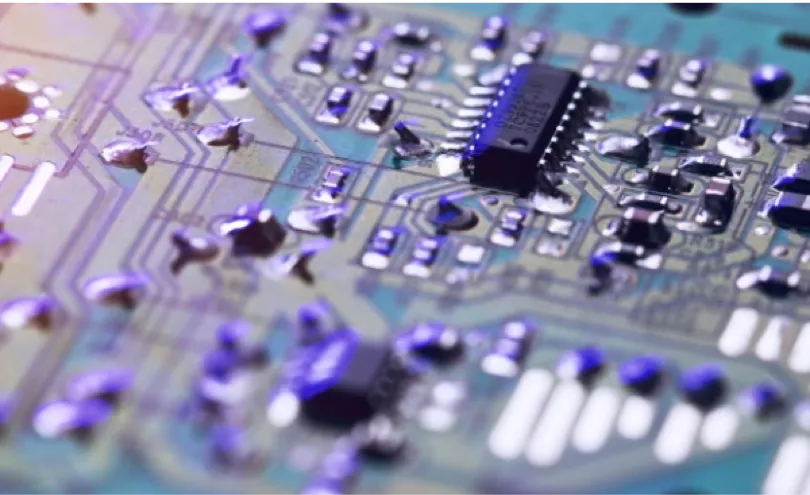
Machen Sie Elektronik leistungsfähiger, mit Materiallösungen für Märkte weltweit!
Wir gehören zu den führenden Herstellern der Elektronikindustrie. Unsere Werkstoffe kommen unter anderem in der Elektromobilität, der Energietechnik und der Industrie zum Einsatz. Entdecken Sie Ihre Möglichkeiten bei uns!
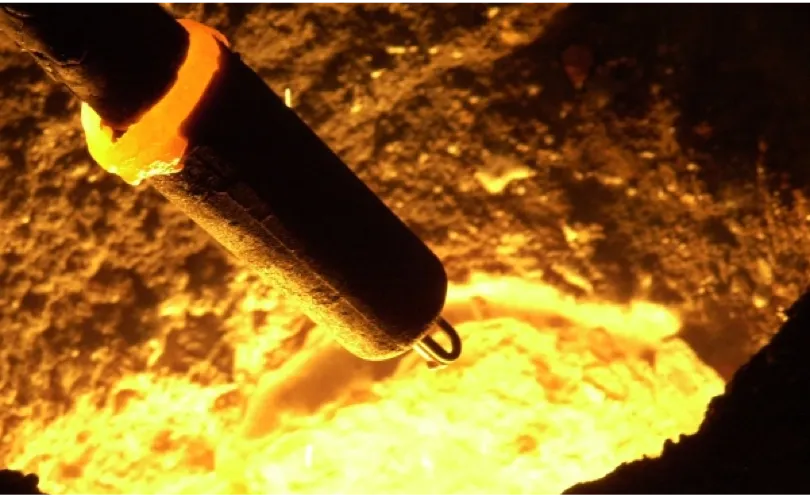
Sorgen Sie dafür, dass Metalle weltweit präzise verarbeitet werden!
Seit den 1960er Jahren entwickeln wir Messtechnik für Metallschmelzen. Unsere Sensoren, Messsysteme und Probenehmer kommen weltweit in der metallurgischen Industrie zum Einsatz. Bringen Sie sich beim Marktführer ein!
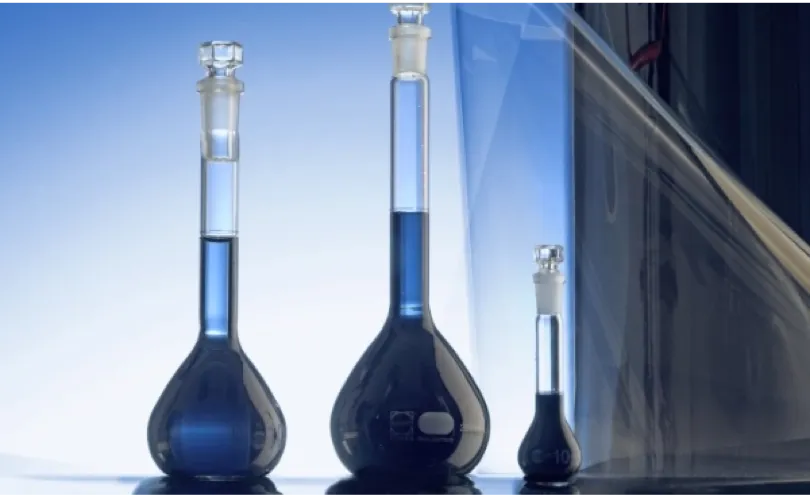
Was möchten Sie bewegen - die Digitalisierung, die Elektrifizierung oder gleich beides?
Wir entwickeln Spezialchemikalien für Smartphones, Displays, Halbleiter, Autos und die Luftfahrt. Als Marktführer für Materialien in Kondensatoren, Displays und Fotolacken schaffen wir die Basis für Technologien von morgen.
Sie möchten mit Ihrer Arbeit Leben verbessern? Dann sind Sie bei uns richtig:
Gemeinsam entwickeln wir Medizintechnik, die Leben rettet und verändert. Rund um den Globus schaffen mehr als 2.200 Kolleginnen und Kollegen Lösungen für führende Medizinunternehmen. Engagieren Sie sich in der Gesundheitsversorgung von morgen!
Bewegen Sie mehr als Produkte. Bewegen Sie Menschen.
Mit unseren Lösungen für die orthopädische Chirurgie und Medizintechnik schaffen wir neue Perspektiven für Patientinnen und Patienten. Unser Purpose: Life is for living. In einer Kultur, die auf Miteinander statt Status setzt. Starten Sie Ihren nächsten Job bei uns!
Bringen Sie Ihr Können dort ein, wo es Menschen hilft!
Wir entwickeln und fertigen medizintechnische Komponenten und Geräte für führende Medizinunternehmen. Unsere Lösungen kommen jedes Jahr bei rund 13 Millionen Operationen zum Einsatz. Tragen Sie mit Ihrer Arbeit dazu bei!
Arbeiten Sie mit Edelmetallen, die höchsten Ansprüchen gerecht werden!
Seit 1951 veredeln und verarbeiten wir Gold, Silber, Platin und Palladium. Unser Markt: das Luxus- und Investmentgeschäft. Mit Schweizer Präzision und jahrzehntelanger Erfahrung zählen wir weltweit zu den führenden Raffinerien. Kommen Sie in unser Team!
Bringen Sie Edelmetalle dorthin, wo sie den Unterschied machen!
Wir handeln, veredeln und recyclen Edelmetalle, um sichere Lieferketten in Industrie und Medizin zu gewährleisten. Rund 2.500 Kolleginnen und Kollegen weltweit treiben neue Lösungen gemeinsam voran. Und was haben Sie vor?
Möchten Sie Werkstoffe neu denken? Dann bringen Sie Ihr Können in ein Team ein, das Technik weiterdenkt.
Wir entwickeln amorphe Legierungen und Komponenten mit besonderen Eigenschaften: Präzise. Robust. Vielseitig einsetzbar. Arbeiten Sie mit uns an Materialien, die neue Chancen für Industrie und Technologie schaffen.
Arbeiten Sie an Materialien für die Medizintechnik.
Diese Frage beschäftigt uns: Was entsteht, wenn Materialwissenschaft auf Medizintechnik trifft? Als Spezialist für bioaktive Boratglas-Technologie entwickeln wir Lösungen für medizinische Anwendungen. Werden Sie Teil eines Unternehmens der Heraeus Gruppe!
Möchten Sie mit Präzisionsglas neue Anwendungen möglich machen? Beim weltweit führenden Anbieter haben Sie die Gelegenheit dazu!
Wir entwickeln Glasmikrokugeln, Glasfasern und Glasfritten für Industrie und Medizintechnik. Arbeiten Sie in unserem Team, das Qualität und Weiterentwicklung verbindet!
Bringen Sie mit uns neue Ideen in der Halbleiterfertigung voran!
Als Anbieter maskenloser MOD-Metalltinten entwickeln wir Materialien für anspruchsvolle Anwendungen in der Halbleiterindustrie. Machen Sie Ihren nächsten Schritt in Ihrer beruflichen Entwicklung und starten Sie in unserem Team!
Als Teil unseres Teams geben Sie Rohstoffen ein neues Leben. Wir entwickeln Neodym-Magnetlösungen auf Basis innovativer Recyclingverfahren. Helfen Sie mit, wertvolle Materialien wieder nutzbar zu machen und für neue Anwendungen effizient einzusetzen.
Wie werden aus gebrauchten Materialien neue Rohstoffe? Was passiert, wenn Recycling neu gedacht wird?
Als weltweit erste Glykol-Recyclinganlage für Chemikalien entwickeln wir 100 Prozent recycelte Produkte für die Kreislaufwirtschaft. Arbeiten Sie mit uns an Lösungen, die Ressourcen schonen!
Wir entwickeln intelligente Software, die weltweit die Stahlproduktion smarter macht: Sie hilft Stahlherstellern, Energie zu sparen, CO₂ zu senken und Qualität zu steigern. Bringen Sie Ihr Know-how in ein Team ein, das an effizienteren Produktionsprozessen arbeitet!
Arbeiten Sie mit Edelmetallen, die höchsten Ansprüchen gerecht werden!
Seit 1951 veredeln und verarbeiten wir Gold, Silber, Platin und Palladium. Unser Markt: das Luxus- und Investmentgeschäft. Mit Schweizer Präzision und jahrzehntelanger Erfahrung zählen wir weltweit zu den führenden Raffinerien. Kommen Sie in unser Team!
Bringen Sie Edelmetalle dorthin, wo sie den Unterschied machen!
Wir handeln, veredeln und recyclen Edelmetalle, um sichere Lieferketten in Industrie und Medizin zu gewährleisten. Rund 2.500 Kolleginnen und Kollegen weltweit treiben neue Lösungen gemeinsam voran. Und was haben Sie vor?
Möchten Sie Werkstoffe neu denken? Dann bringen Sie Ihr Können in ein Team ein, das Technik weiterdenkt.
Wir entwickeln amorphe Legierungen und Komponenten mit besonderen Eigenschaften: Präzise. Robust. Vielseitig einsetzbar. Arbeiten Sie mit uns an Materialien, die neue Chancen für Industrie und Technologie schaffen.
Als Teil unseres Teams geben Sie Rohstoffen ein neues Leben. Wir entwickeln Neodym-Magnetlösungen auf Basis innovativer Recyclingverfahren. Helfen Sie mit, wertvolle Materialien wieder nutzbar zu machen und für neue Anwendungen effizient einzusetzen.
Wie werden aus gebrauchten Materialien neue Rohstoffe? Was passiert, wenn Recycling neu gedacht wird?
Als weltweit erste Glykol-Recyclinganlage für Chemikalien entwickeln wir 100 Prozent recycelte Produkte für die Kreislaufwirtschaft. Arbeiten Sie mit uns an Lösungen, die Ressourcen schonen!
Sie möchten mit Ihrer Arbeit Leben verbessern? Dann sind Sie bei uns richtig:
Gemeinsam entwickeln wir Medizintechnik, die Leben rettet und verändert. Rund um den Globus schaffen mehr als 2.200 Kolleginnen und Kollegen Lösungen für führende Medizinunternehmen. Engagieren Sie sich in der Gesundheitsversorgung von morgen!
Bewegen Sie mehr als Produkte. Bewegen Sie Menschen.
Mit unseren Lösungen für die orthopädische Chirurgie und Medizintechnik schaffen wir neue Perspektiven für Patientinnen und Patienten. Unser Purpose: Life is for living. In einer Kultur, die auf Miteinander statt Status setzt. Starten Sie Ihren nächsten Job bei uns!
Bringen Sie Ihr Können dort ein, wo es Menschen hilft!
Wir entwickeln und fertigen medizintechnische Komponenten und Geräte für führende Medizinunternehmen. Unsere Lösungen kommen jedes Jahr bei rund 13 Millionen Operationen zum Einsatz. Tragen Sie mit Ihrer Arbeit dazu bei!
Arbeiten Sie an Materialien für die Medizintechnik.
Diese Frage beschäftigt uns: Was entsteht, wenn Materialwissenschaft auf Medizintechnik trifft? Als Spezialist für bioaktive Boratglas-Technologie entwickeln wir Lösungen für medizinische Anwendungen. Werden Sie Teil eines Unternehmens der Heraeus Gruppe!
Möchten Sie mit Präzisionsglas neue Anwendungen möglich machen? Beim weltweit führenden Anbieter haben Sie die Gelegenheit dazu!
Wir entwickeln Glasmikrokugeln, Glasfasern und Glasfritten für Industrie und Medizintechnik. Arbeiten Sie in unserem Team, das Qualität und Weiterentwicklung verbindet!
Arbeiten Sie mit mehr als 2.000 Kolleginnen und Kollegen weltweit an Lösungen für Technologien von morgen!
Wir entwickeln, fertigen hochreines Quarzglas, Keramik und Komposite. Ihr Einsatz: Halbleiterindustrie, Telekommunikation, Optik, industrielle und medizinische Anwendungen. Finden Sie Ihren Platz in unserem Team!
Machen Sie Elektronik leistungsfähiger, mit Materiallösungen für Märkte weltweit!
Wir gehören zu den führenden Herstellern der Elektronikindustrie. Unsere Werkstoffe kommen unter anderem in der Elektromobilität, der Energietechnik und der Industrie zum Einsatz. Entdecken Sie Ihre Möglichkeiten bei uns!
Was möchten Sie bewegen - die Digitalisierung, die Elektrifizierung oder gleich beides?
Wir entwickeln Spezialchemikalien für Smartphones, Displays, Halbleiter, Autos und die Luftfahrt. Als Marktführer für Materialien in Kondensatoren, Displays und Fotolacken schaffen wir die Basis für Technologien von morgen.
Bringen Sie mit uns neue Ideen in der Halbleiterfertigung voran!
Als Anbieter maskenloser MOD-Metalltinten entwickeln wir Materialien für anspruchsvolle Anwendungen in der Halbleiterindustrie. Machen Sie Ihren nächsten Schritt in Ihrer beruflichen Entwicklung und starten Sie in unserem Team!
Sorgen Sie dafür, dass Metalle weltweit präzise verarbeitet werden!
Seit den 1960er Jahren entwickeln wir Messtechnik für Metallschmelzen. Unsere Sensoren, Messsysteme und Probenehmer kommen weltweit in der metallurgischen Industrie zum Einsatz. Bringen Sie sich beim Marktführer ein!
Wir entwickeln intelligente Software, die weltweit die Stahlproduktion smarter macht: Sie hilft Stahlherstellern, Energie zu sparen, CO₂ zu senken und Qualität zu steigern. Bringen Sie Ihr Know-how in ein Team ein, das an effizienteren Produktionsprozessen arbeitet!